Your whole restaurant on one screen.
POS, tables, delivery with your own website, kitchen display, inventory and finance. All integrated and running in the browser — nothing to install, no special hardware.
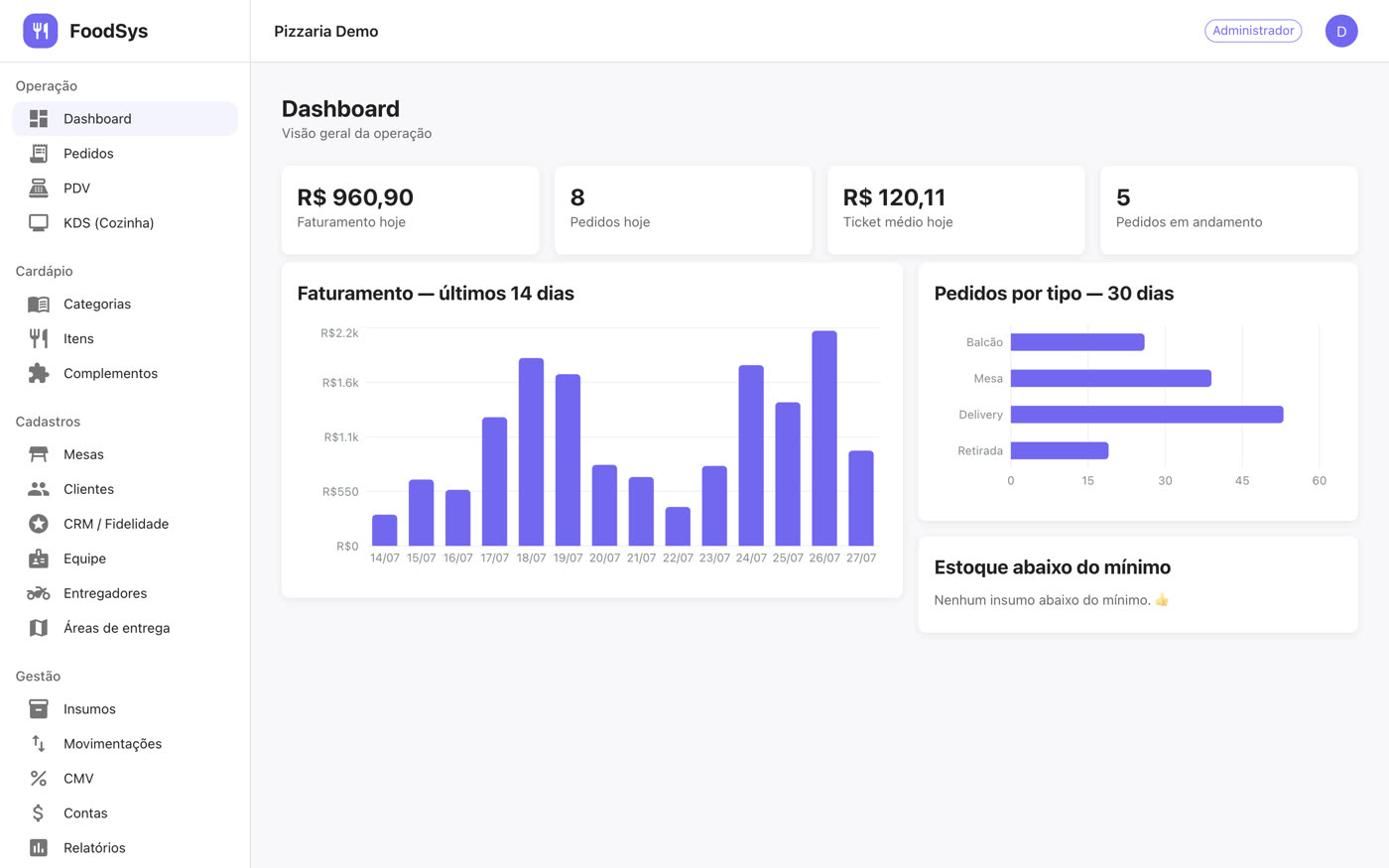
Running a restaurant became a juggling act of systems
One program for the register, a spreadsheet for inventory, the kitchen notebook and WhatsApp for delivery. At the end of the month, nobody knows where the money went.
Orders lost on paper
A ticket that disappears, handwriting nobody can read, an item the kitchen forgot. The customer waits and the bill comes out wrong.
You do not know your food cost
Without recipes, the cost of a dish is a guess. The margin only shows up at the end of the month — when it is too late to fix.
Systems that do not talk
Delivery in one place, the dining room in another, finance in a spreadsheet. Rework every day and no report that adds up.
Everything the operation needs, already integrated
Every module talks to the next one: the sale deducts inventory, the order shows up in the kitchen, the delivery lands in the register.
Complete POS
Counter sales, tables and tabs in seconds.
- Half-and-half pizza priced automatically
- Split payment, change and PIN-approved discounts
- Cash drawer with payouts and reconciliation
Delivery with your own site
Your menu online, with no marketplace commission.
- A site in your brand colours
- Fee per neighbourhood and minimum order
- Customers follow the order through a link
Kitchen display
A screen per station, no paper and no shouting.
- Kanban with a delay timer
- One board for the kitchen, another for the bar
- Updates in real time
Inventory and food cost
Recipes that deduct stock automatically on every sale.
- Weighted average cost on purchases
- Minimum stock alerts
- Real margin per dish
Finance and reports
Payables and receivables alongside the day’s register.
- Sales by period, product and server
- Export to spreadsheet
- Brazilian NFC-e invoicing
Integrations
Connect what you already use.
- iFood orders in the same dashboard
- Automatic WhatsApp notifications
- Courier app through a link
Eight minutes to see the whole system
Short narrated videos, recorded in the real system — nothing simulated. Pick the module you care about.
Live today
No technician, no server, no cabling. If your computer opens a browser, it runs FoodSys.
Create your store
Sign up in a minute. You get the admin login and the address of your delivery site.
Build the menu
Categories, items, sizes and add-ons. If you want, add the recipes too so inventory deducts itself.
Open the register and sell
Your team signs in with their own logins, each seeing only what their role allows. The first order goes out in minutes.
A price that fits your size
Every plan includes 14 days free, updates and support in Portuguese. No lock-in.
Counter
- Complete POS
- Cash drawer with payouts and reconciliation
- Menu and records
- Sales reports
- Delivery and own website
- Kitchen display and inventory
Complete
- Everything in the Counter plan
- Tables, tabs and service charge
- Delivery with your own site
- Kitchen display
- Inventory, recipes and food cost
- Finance and NFC-e
Chain
- Everything in the Complete plan
- Several stores in one dashboard
- iFood integration
- WhatsApp bot
- Courier app
- Priority support
Frequently asked questions
Do I need to install anything?
No. FoodSys runs in the browser — desktop, laptop or tablet. The POS, the kitchen and the dashboard open from a single address, and each device signs in with its own login.
Does it work if the internet goes down?
The system is online, so it needs a connection to register sales. We recommend a 4G backup on the router, as with any cloud system.
Does it issue tax invoices?
Yes, Brazilian NFC-e through Focus NFe. You need an A1 digital certificate and an active state registration. Before configuring it, you can test everything in simulated mode.
Can I print the order in the kitchen?
The sales receipt prints straight from the browser on 80mm paper. For automatic printing on a thermal printer we use a small utility on the register computer. Most customers end up swapping the paper for the kitchen display.
Is my data separated from other stores?
Yes. Each store is an isolated environment: the system filters everything by your store on the server, and users of one store never see another store’s data.
Do iFood orders arrive in the same place?
Yes. With your Partner Portal credentials, iFood orders land in the same manager, clearly identified, and follow the normal flow to the kitchen.
Ready to get the restaurant off the notebook?
Create your store, build the menu and make your first sale today. 14 days free, no credit card.